
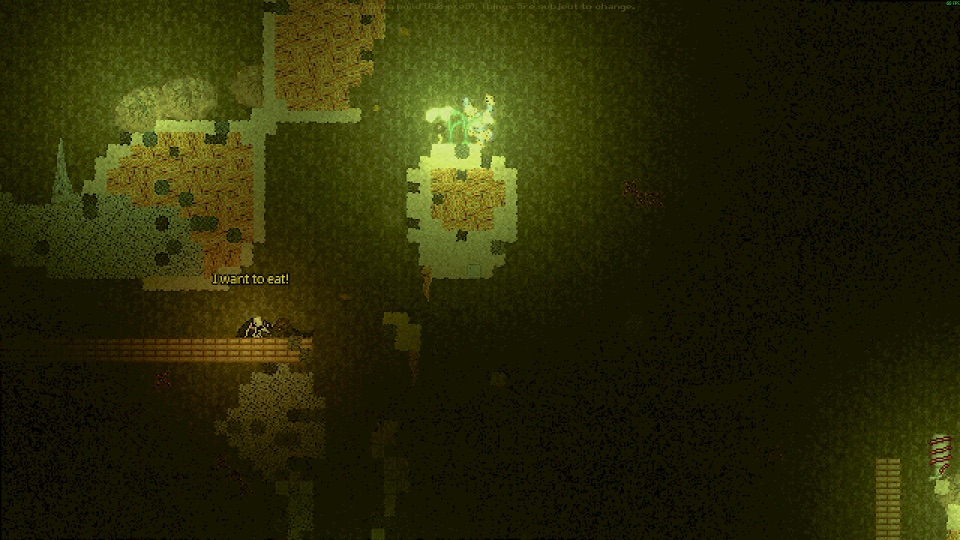
Official Steam screenshot · Game imagery © respective owners. Material credits.
Find the official Steam demo
The demo has its own Steam product entry, separate from the full game. App 4576510 is the identifier recorded in the supplied research, and the page offers the official Install Demo action. Starting there avoids confusing the playable demo with the main release’s store listing or with an unrelated download site using the game’s name.
You can also follow the demo link from the official full-game listing. That route keeps you within the developer and publisher’s distribution context instead of requiring a third-party launcher or an unidentified archive. Check the product name before installing so that later crafting, tutorial or mod instructions can be matched to the distribution you actually chose.
What the five-layer demo contains
The Steam demo description specifies five layers out of the eleven planned for the game. It includes crafting and the injury simulation, giving you a way to learn the systems that support cave exploration. The five-layer limit describes the demo’s scope rather than the entire announced extent of the full game.
The documented layer order is Gravel Lands, Deeper Gravel Lands, Dried Desert, Wasteland and Overgrown Depths. Use that sequence when comparing a tutorial requirement or a guide’s progress with your run. A recording of later environments should be checked for its build and context before you expect those areas to be available in normal demo progression.
Use the tutorial before committing to a run
The developer’s distribution page recommends playing the tutorial before starting. That is a practical introduction to a game where crafting, injuries and resource management all matter during the descent. Learn the controls in that context instead of assuming that familiarity with another survival game gives you the same interactions here.
The tutorial material includes basic training, First Aid and a Crafting Course with its own progression context. Crafting uses C or the on-screen button, while the medical lesson describes applying a Dressing through the health panel. These are useful systems to learn in the demo without mistaking the training descriptions for a claim that the full release’s later content is already unlocked.
Understand the survival systems you are trying
The official description emphasizes cave exploration and a detailed injury simulation. Wound care, infected wounds and blood loss are part of the character’s survival, while mood also affects the experience. Those systems distinguish the demo from a simple walk through five backgrounds and explain why the developer encourages learning before descending.
Crafting connects exploration with the supplies you can use. Tools help you travel through the caves, and environmental resources can help with patching up wounds. Use the demo to understand the displayed recipes and health conditions rather than assuming that every found object or medical item has the same role across every problem.
Distinguish the itch.io archive from the Steam build
Orsoniks also maintains the developer-owned itch.io page under the older Scav Prototype address. The archive listed in the collected research is CasualtiesUnknownV5.1Demo.zip. That is a named distribution and build, not evidence that it is interchangeable with the Steam demo in every tutorial, settings file or mod installation.
This difference matters when transferring expectations between old guides and a newer Steam installation. The collected key-binding discussion, for example, reports missing entries in older settings carried over from itch.io builds. Identify the version before troubleshooting so that a control issue or package mismatch is not mistaken for a missing feature in every copy of the demo.
Keep the free demo separate from the full release
At the November 8 research check, the full release was scheduled for November 9, 2026. The announced full game includes eleven layers and additional release content, while the demo remains its separate five-layer product. A free demo therefore is not a promise that the full game is permanently free or that every announced feature belongs to the trial.
The developer’s October announcement says the demo will not receive the full-game changes. Do not assume that later balance updates, character progression or environments are going to be backported to that demo. Keep the two product contexts explicit whenever a guide compares what you can play now with the scope described for the release.
Use demo-specific mod instructions only for their stated target
Some community tools and mods explicitly target the Steam demo. Casualties Together is one example whose README names app 4576510 and a particular loader workflow. That makes the exact product relevant even if your immediate question is about installing co-op rather than the contents of the five layers.
A working demo-mod tutorial does not establish full-release compatibility. Compare the package’s requirements with your installation before applying its file layout or launch instructions. Keep that check separate from the official download decision, because the presence of community modifications does not change the base game’s listed single-player status or the developer-controlled distribution sources.
Choose the build that matches the guide you want to follow
For the documented Steam demo, start from its official product page and use guides that name the same distribution. For the itch.io archive, retain its version label when asking a tutorial or mod question. This gives other readers enough context to distinguish a genuine control problem from advice written for a different build.
The collected sources do not verify demo-save transfer into the full game, so this page does not promise it. They establish the free Steam demo, its five-layer scope and the separate developer archive. Those are the reliable facts to use when deciding where to begin, with the official store and developer announcements remaining the places to confirm later release changes.
Use the product identity in any follow-up question
When a tutorial or mod instruction does not match the game, include the distribution and version in your question. Steam demo app 4576510 and the listed V5.1Demo itch.io archive identify different contexts even though they share the same game premise. That distinction helps another reader compare the right controls, course progression and package requirements rather than assuming that all free downloads are one interchangeable installation.
It is also worth naming the system you are learning instead of describing the demo as generally broken. A missing advanced crafting course, a key binding inherited from an older build and a recipe producing the wrong Dressing result are separate problems in the supplied research. Each points to a different check, so the exact instruction or symptom is more useful than a broad complaint about an entire five-layer product.
For release expectations, return to the official announcement rather than using the demo as a promise of every future feature. Eleven layers and the announced character progression describe the full game, while the demo remains a separate distribution whose release changes will not be backported. This keeps the download decision grounded in what the official pages actually offer and makes later guide comparisons much easier to interpret.
Sources and version context
This guide uses research checked on November 8, 2026. Demo instructions, announced release content and community projects retain their separate version context. Follow the linked developer or project documentation for the source of each release or installation claim.