
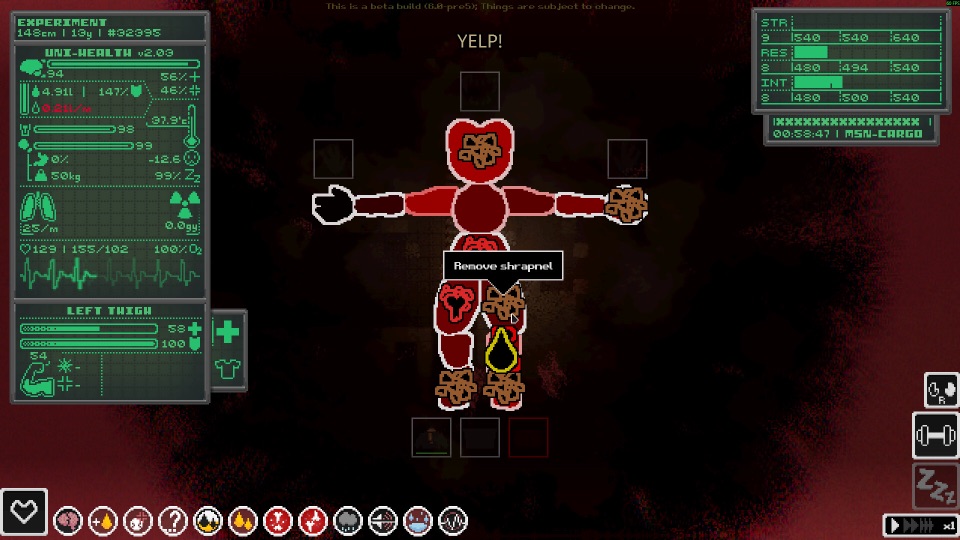
Official Steam screenshot · Game imagery © respective owners. Material credits.
Start with what the mod changes
A mod overview is most useful when it identifies the kind of change you want. Casualties Together concerns community multiplayer, while ChangeSkin tools concern character sprite replacement. Those are different purposes, so the presence of one package in a tutorial does not mean it is required for every possible change you can make to the game.
Read the package description before downloading a collection of files from several unrelated guides. Match the feature you want with the author’s stated requirements and supported game version. This keeps the decision focused on a documented modification rather than treating every file associated with an Expie or the game’s name as a plugin for this installation.
Recognize the older Scav Prototype category
The game’s earlier name was Scav Prototype, and community distribution still uses that name in some places. A package filed under that category can therefore be relevant to Casualties: Unknown. The older category name alone is not evidence that the download belongs to a different game, but it is also not proof that the package supports your current build.
Check the actual author, description and version rather than deciding from the category heading alone. An old prototype package and a documented Steam demo package can share the same general community location while expecting different game behavior. Keep the history of the name separate from compatibility, which is a more specific question answered by the package’s requirements.
Understand the loader and dependency relationship
BepInEx is the loader used by the documented demo modding workflow. It provides the environment described by those plugin instructions, while the chosen mod supplies the particular behavior or replacement feature. Installing a loader alone is therefore different from installing the co-op package, skin system or other plugin that motivated the change.
Individual packages can require additional files and resources. Follow their stated loader version and dependency list instead of assuming that the newest loader major version works with every older tutorial. The Casualties Together instructions identify their own BepInEx release, which is a useful example of why package-specific requirements are more informative than a generic modding slogan.
Treat Casualties Together as community co-op
The official Steam listing identifies the base game as single-player. Casualties Together is a separate community project whose author describes co-op using Steam lobbies, with player interaction and voice communication. Its existence establishes a modded option without changing what the official product listing promises about native multiplayer.
The author’s documented workflow targets the Steam demo. Check that target before expecting the same package to work with the full release or another distribution. Gameplay rules can also differ from vanilla, so a modded session should not be used as the sole reference for what the unmodified game does during the same situation.
Keep skins, translation files and plugins distinct
A skin asset is not automatically a working skin mod. Sprite replacement depends on the appropriate mod and its resources, while a downloaded piece of art supplies a different part of the setup. Follow the exact skin package’s instructions instead of treating a PNG archive as if it also installs the loader and replacement system.
Translation files are another separate category, with developer-linked community localization resources available for the game. They should not be confused with an arbitrary plugin merely because both can change what you see. Likewise, an Expie-themed mod for a different game is not a mod installed into Casualties: Unknown, even if its name appears in the same search results.
Read community manager claims in their own context
Casualties Hub documents management of local BepInEx plugins and custom-asset backups. Its repository explicitly describes an independent tool rather than an official product from the game developer. That distinction helps you identify who maintains the manager and which instructions to consult if its behavior differs from an individual mod’s documentation.
A manager can organize supported files without guaranteeing that every package works with every build. Continue checking the author’s game version, dependencies and installation layout even when a separate tool handles some file operations. The relevant evidence remains the package’s documented requirements, not the assumption that being listed by a manager turns every community download into a compatible release.
Choose mods by the build you actually play
The release announcement says the demo will not receive the full game’s changes. That makes an older demo mod’s target version important when assessing whether it belongs in a different installation. A page documenting demo 6.1 or an earlier prototype should retain that context instead of becoming a blanket claim about every future release.
Before installing, identify the product, the build, the loader requirement and the package’s complete layout. If one of those details conflicts with your setup, resolve the mismatch before adding more plugins. This gives you a practical way to select the documented community options without claiming that every package shares one folder structure or one universal compatibility rule.
Use a short package-selection checklist
Before choosing a download, identify the feature you want, the package author and the game build you play. Then compare the required loader, dependencies and archive layout with that installation. This turns a broad search for a Casualties: Unknown mod into a specific compatibility question, making it easier to recognize when a page is relevant but written for a different stage of the game’s development.
Keep community tools in their documented roles. A co-op plugin changes the session context, a skin system replaces sprites, a skin archive supplies art and a localization file changes text. Treating all of them as interchangeable downloads can omit the component that actually provides the requested feature, especially when a tutorial lists several projects together for convenience without claiming that every reader needs the entire set.
When an author updates a package, compare that release’s requirements before reusing an old installation habit. The supplied material establishes real community projects but not a universal promise that all demo plugins survive full-game changes. Matching the project, product and version first keeps the overview focused on the modifications documented for this game rather than unrelated Expie-themed content or assumptions about every future mod release.
Sources and version context
This guide uses research checked on November 8, 2026. Demo instructions, announced release content and community projects retain their separate version context. Follow the linked developer or project documentation for the source of each release or installation claim.