
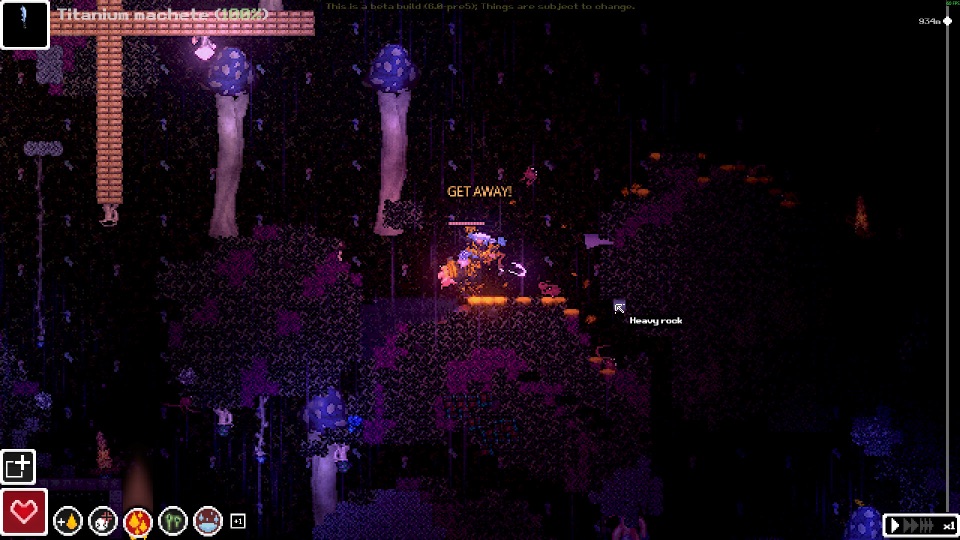
Official Steam screenshot · Game imagery © respective owners. Material credits.
Separate official multiplayer from modded co-op
Single-player is the official mode listed for the game on Steam. Casualties Together is maintained as a community modification, so a recording of friends playing together does not change that product description. This distinction matters before you download or buy a particular release because official support and a separate mod are different expectations.
The multiplayer question therefore has two answers rather than one misleading yes or no. The base game is listed as single-player, while the mod author documents a way to play co-operatively through a separate package. Keep the package name and target version attached to any setup advice so the feature does not appear to be a native menu option in every installation.
What Casualties Together adds
The author’s announcement and README describe interaction with other players, including helping injured companions and voice communication. They also describe Steam-lobby-based play, placing the multiplayer setup within a specific launch and connection context. Those documented features establish why a co-op session can differ from ordinary solo exploration without supplying a fixed player-capacity guarantee here.
The mod includes gameplay differences and configurable rules. A behavior seen in a co-op recording consequently should not automatically become advice about the unmodified game. Identify whether a guide is explaining Casualties Together or vanilla Casualties: Unknown before applying its assumptions about player interaction, session rules or what happens to an injured companion.
Use the Steam demo targeted by the instructions
The collected README targets Steam demo app 4576510. That identifies a separate product from the full-game listing and from the developer’s itch.io archive. Begin by confirming which installation you are using, because the existence of a game folder with a familiar name does not establish that it is the build expected by the co-op package.
The documented target also limits what an old installation video proves. A guide recorded for the Steam demo can be relevant to that demo while saying nothing about compatibility with later release changes. Compare the chosen package’s requirements with your actual product before troubleshooting the lobby or assuming that a failed launch concerns only the multiplayer connection.
Install the required loader before the co-op package
For the documented Windows workflow, use Steam Library → Manage → Browse local files to locate the game root. Install the BepInEx x64 version named by the package beside the game executable. The collected Casualties Together README links BepInEx 5.4.23.5, making that a recorded requirement for the package rather than a universal loader recommendation for every future version.
Launch once and close the game so that the loader can create its folders. This first-run stage helps distinguish an installed loader from an archive that was downloaded but not placed correctly. If the expected setup has not appeared, return to the extraction location and required release before adding more plugins or interpreting the issue as a co-op failure.
Extract the complete mod layout and launch through Steam
The author instructs players to extract the contents of the archive’s mod folder into the game root. Follow that complete layout rather than selecting only one DLL and assuming all of the package’s other files are unnecessary. The more general plugins-directory advice does not replace a package-specific instruction about how its archive should be installed.
Launch through Steam when using the documented Steam-lobby workflow. The connection method and the chosen distribution belong to the same setup, so they should not be separated when comparing instructions. Use the maintained package documentation to identify the actual lobby steps instead of inventing connection fields or assuming that every multiplayer mod uses the same interface.
Check requirements across the whole group
All participants should compare their game and mod versions with the package’s supported setup. A host and a client are not automatically equivalent environments merely because both have downloaded something described as a multiplayer mod. Check the exact package and its requirements before treating a connection problem as proof that one player entered the wrong menu.
Command permissions are also separate from basic multiplayer access. Casualties Together documents host or admin rules for server commands, so a connected client should not assume access to every command used in a solo guide. Describe your role and the installed versions when seeking help, since that context can explain differences that a general console-command reference cannot resolve.
Keep optional skin setup separate from co-op access
ChangeSkin-Multiplayer is a separate community option for sprite replacement in the co-op context. Its author documentation gives its own requirements and describes resources that must stay with the plugin. Getting a co-op session running and making a custom skin visible are consequently separate setup tasks, even if one tutorial mentions both.
The skin documentation also says visibility depends on the relevant participants and host having the mod. Do not treat a skin archive as the file that creates multiplayer support or assume a local appearance change is visible to everyone. Solve the base co-op installation first, then follow the exact skin package’s instructions for its own resources and version.
Do not assume the demo package already supports the full game
At the November 8 research check, the full release was scheduled for November 9, 2026. The developer’s announcement says the demo will not receive the full game’s changes, so the two remain separate compatibility targets. That is why a working demo installation or an old co-op video should not be treated as a tested full-release result.
Before committing a group to a particular release, return to the co-op author’s supported-build statement and installation notes. The checked sources establish community multiplayer, the Steam-demo target and the documented loader and archive workflow. They do not establish a universal player limit, identical save behavior or a guarantee of stability across every combination of game and mod versions.
Separate connection, gameplay and optional features when asking for help
A multiplayer problem can concern the loader, the co-op files, launching through Steam or the session itself. Name which of those stages is failing rather than describing every issue as an inability to play online. Include the exact game product and package version, because the checked installation instructions target the Steam demo and do not establish compatibility with every later release.
Once a session is running, distinguish its configurable rules from the behavior of the base game. The author describes assistance between players and voice communication, while optional skin tools and server-command permissions add their own contexts. Keeping those features separate helps you find the correct documentation instead of assuming that a question about appearance or admin access is answered by the same steps used to install co-op.
This distinction also improves how you interpret demonstrations. A recording can show that a creator used a particular modded setup without promising the same capacity, stability or save behavior for your group. Use the maintained author instructions for the selected release, and keep each participant’s versions aligned with that supported setup before extending a video’s result into expectations the sources do not establish.
Sources and version context
This guide uses research checked on November 8, 2026. Demo instructions, announced release content and community projects retain their separate version context. Follow the linked developer or project documentation for the source of each release or installation claim.